
Old photo repair
Old Photo Repair
Faithfully repair the photo that still matters, even if cracks, stains, and fading are hiding it.
No card required. Start with one photo.
Damage first
Built around repair, not filters.
Free test
Try one real photo first.
Natural finish
Keep the family-photo feel.
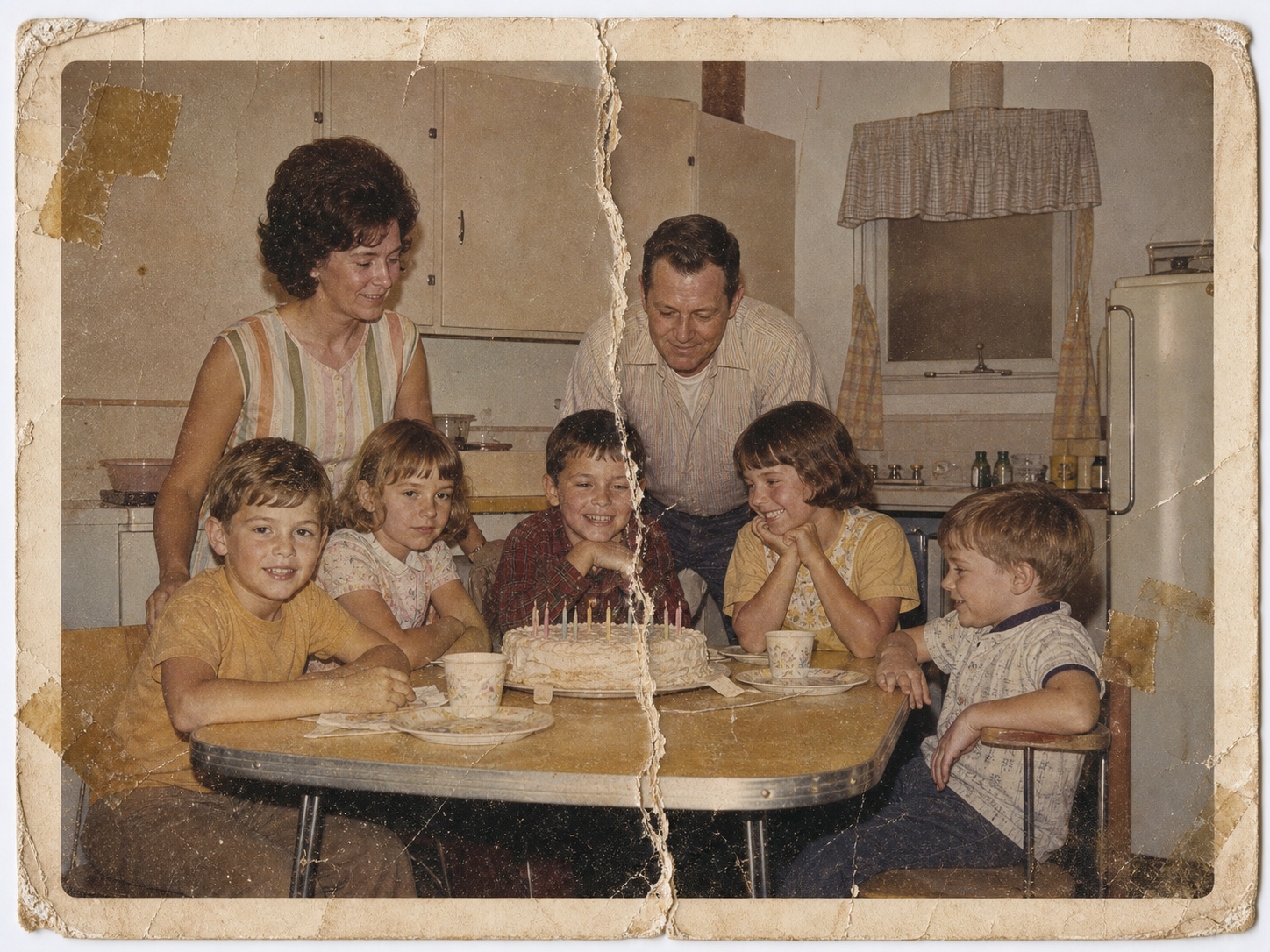
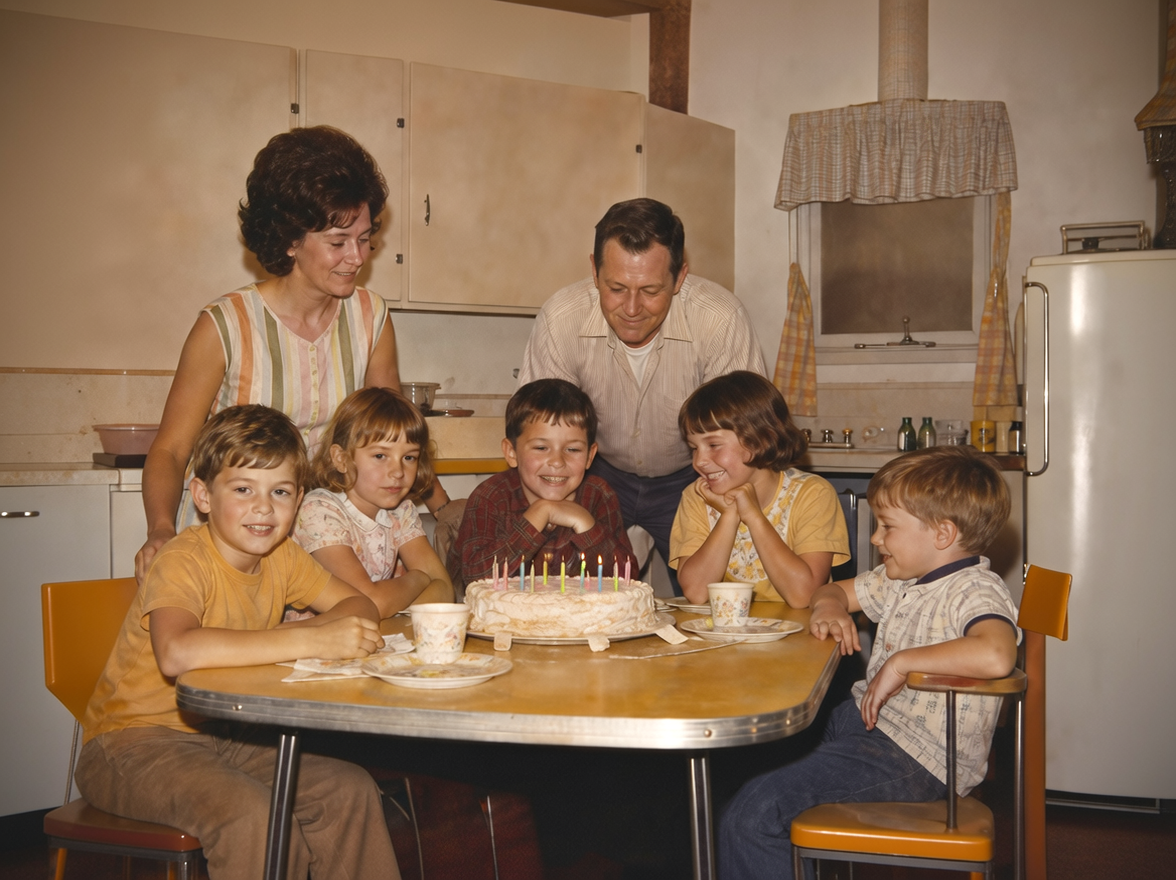
Can AI fix this?
When old photo repair works best
Automated repair is useful when the photo still contains enough information to recover. The free restore is the safest way to test fit before restoring a batch.
Light damage: fading, dust, small marks, and soft contrast are usually worth trying.
Moderate damage: tears, stains, creases, and water marks can often improve if faces remain visible.
Severe damage: missing faces, mold, stuck prints, or large blank areas may need a human specialist.
Direct answer
Old photo repair is for family prints with visible damage: torn corners, cracks through the paper, stains, fading, dust, color loss, soft faces, or marks from years in storage. PhotoScanRestore works from a digital copy, so you can try one photo free and judge the result against the original before paying. It is strongest when important detail is still visible and the goal is a clean, natural keepsake, not a perfect studio reconstruction. If a face is missing, the print is moldy, or the original is historically valuable, a human retoucher or conservator may be safer.
Repair examples
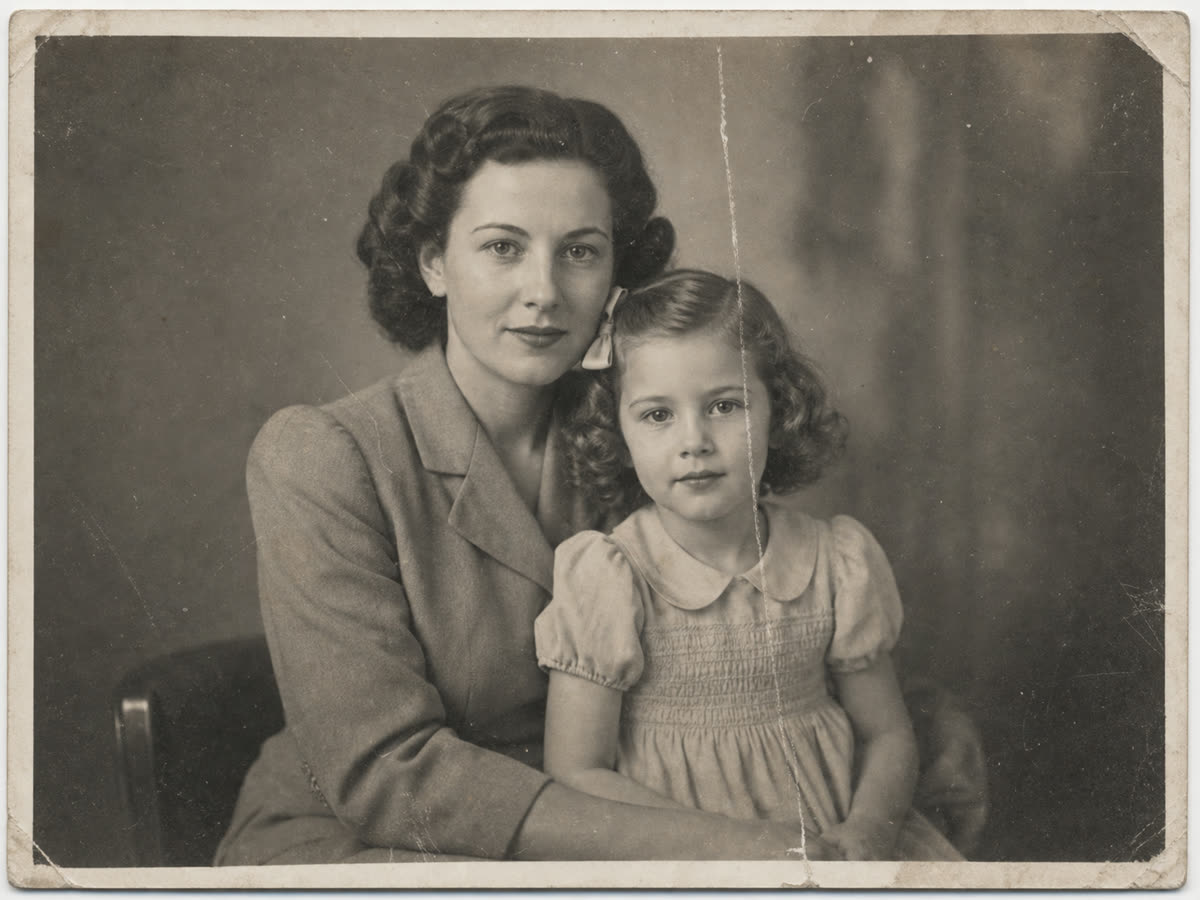
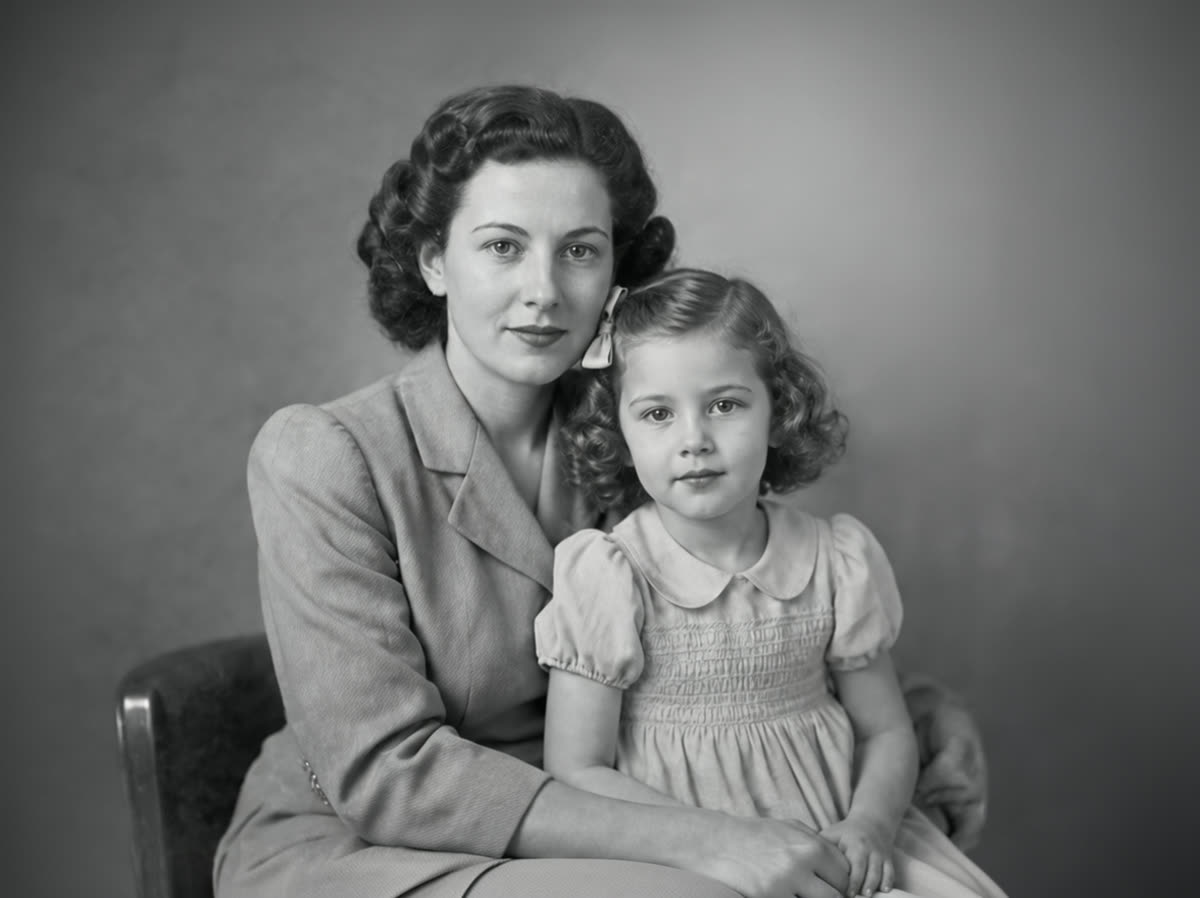
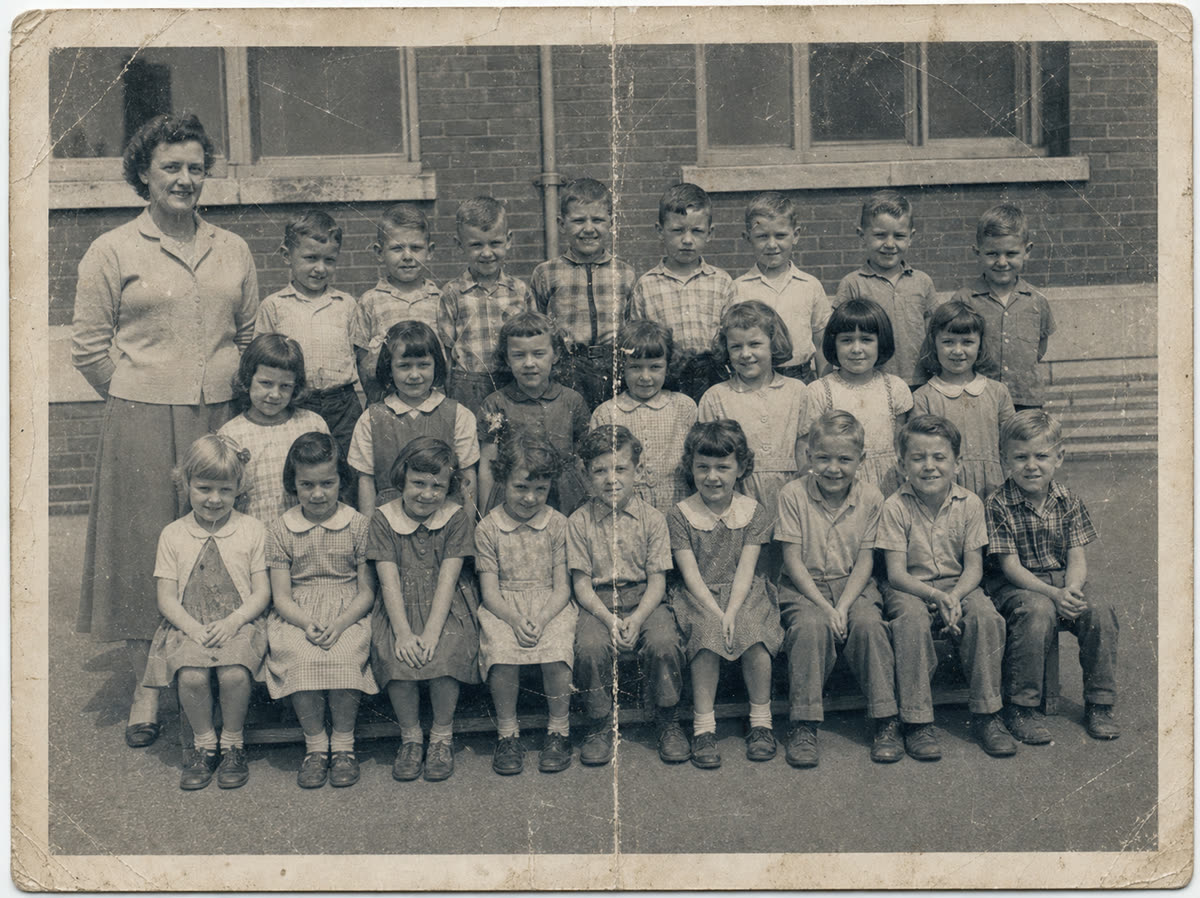
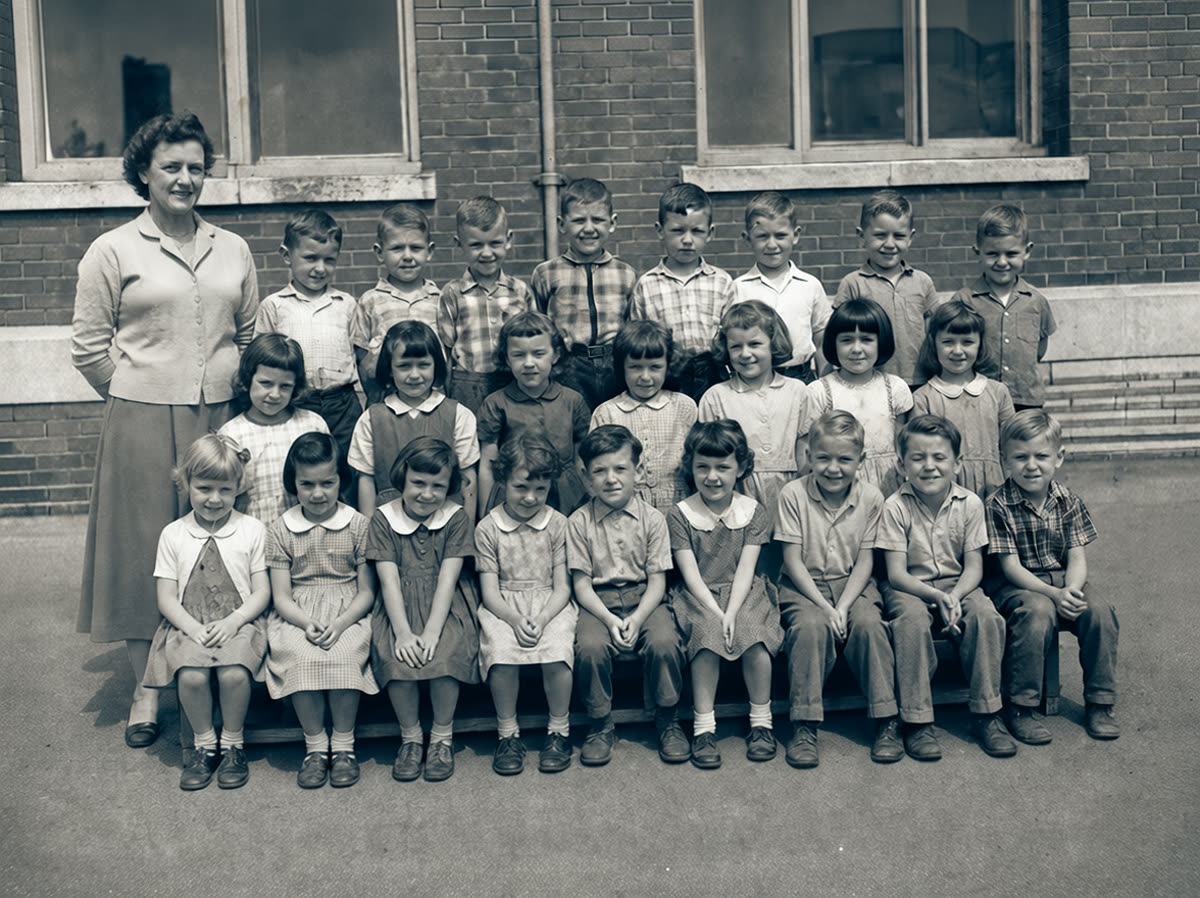
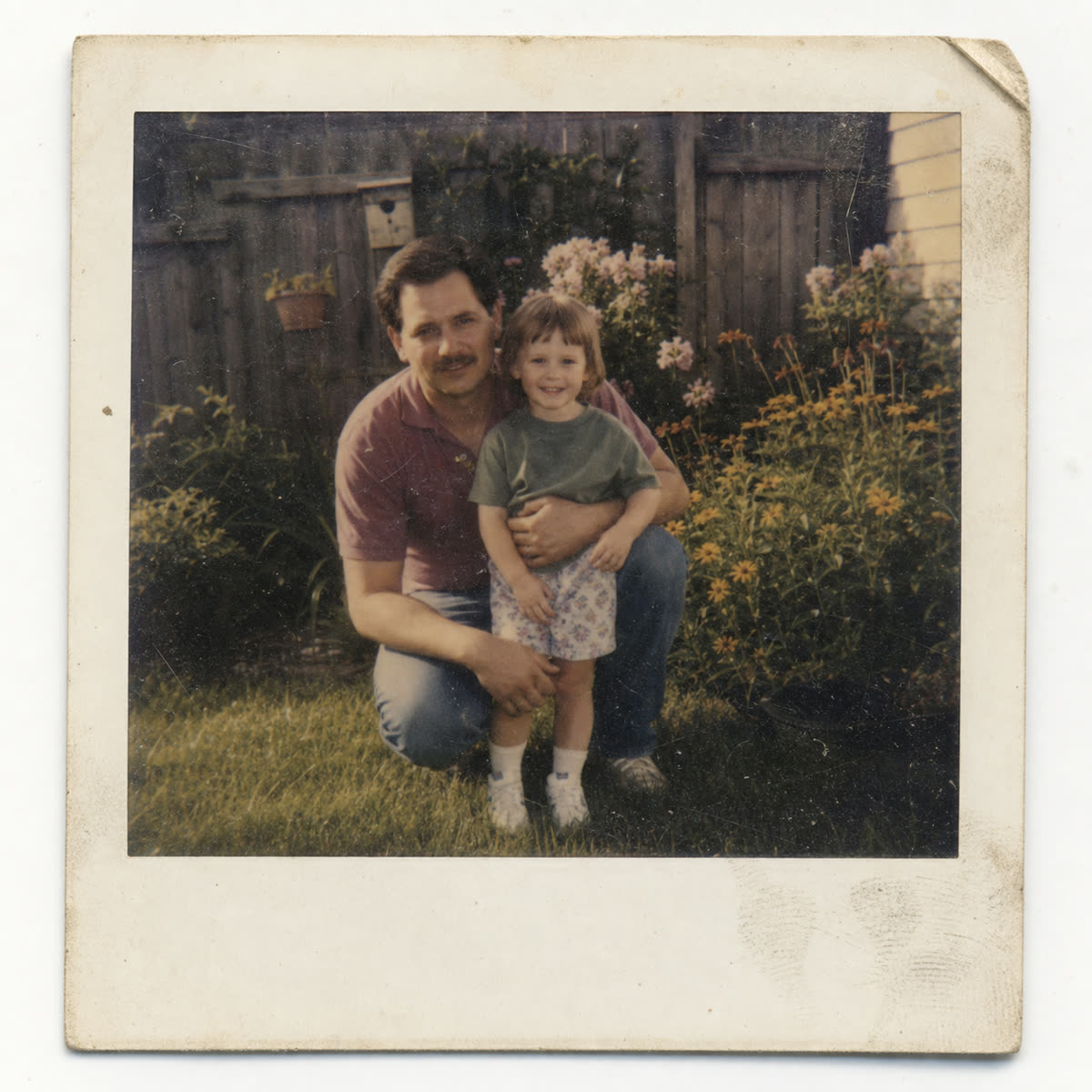
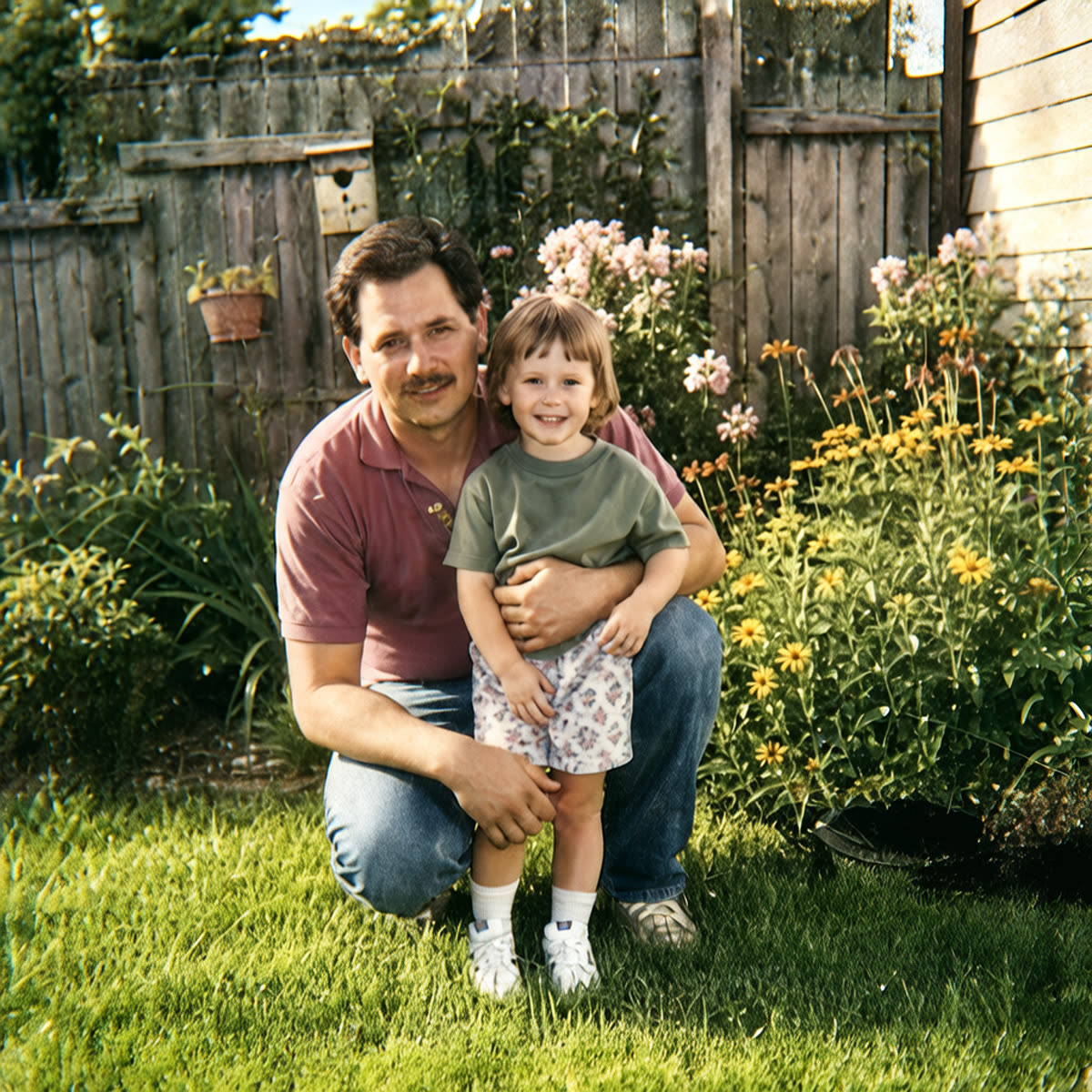
Repair old photos online when cracks, stains, and fading hide the memory
These old photo repair examples cover tears, creases, scratches, fading, and group-photo cleanup. Real uploads vary, so start with the photo closest to yours and try one image free.
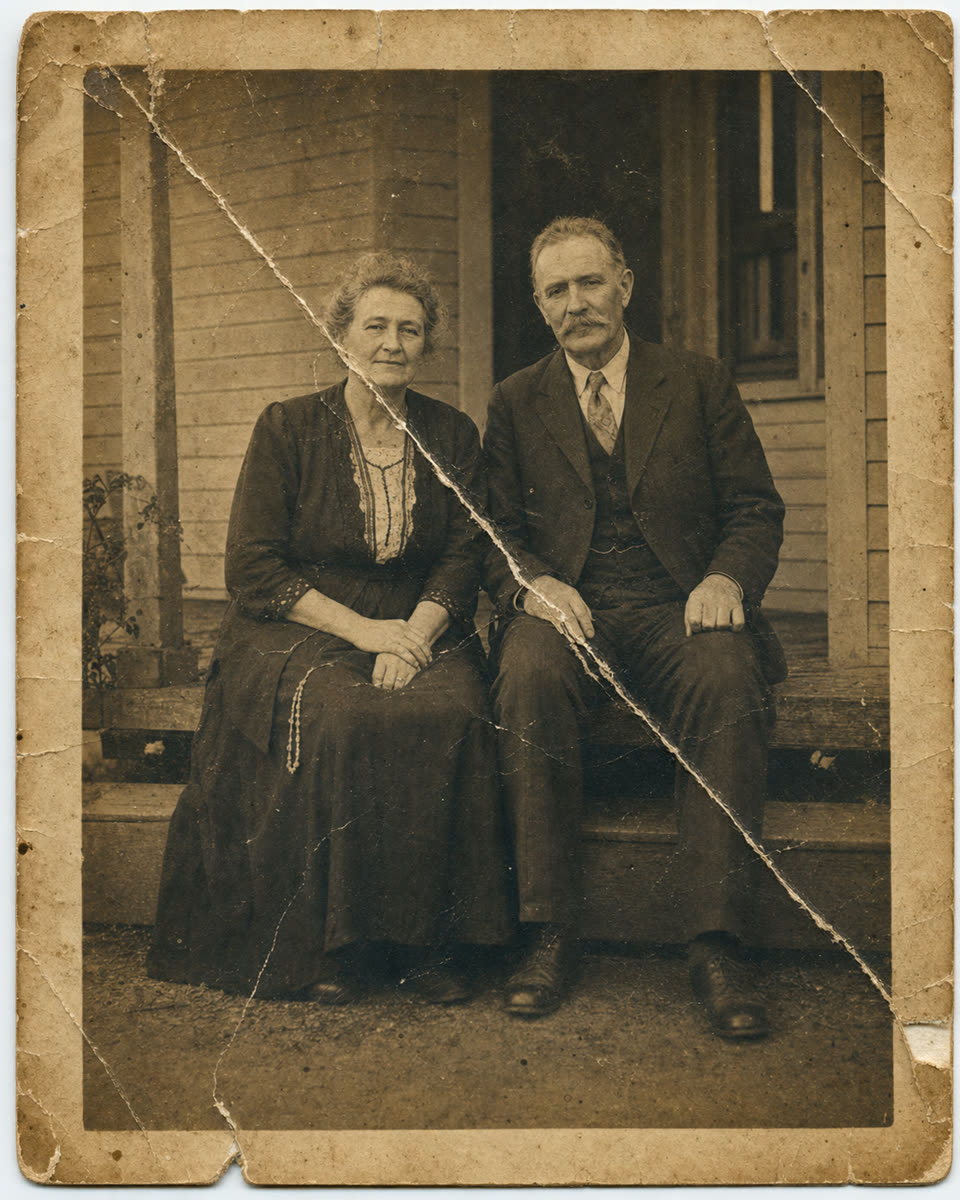
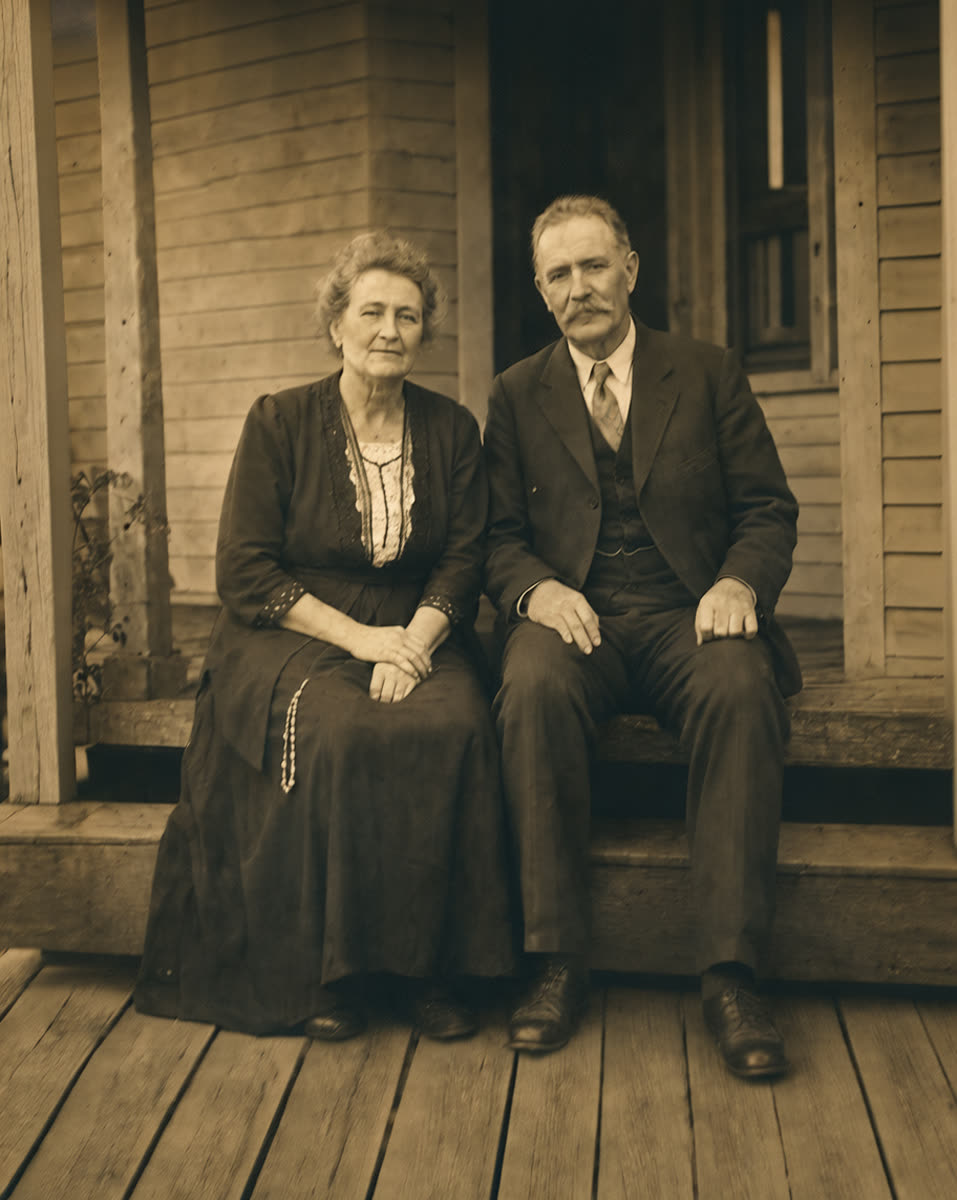
How it works
Fix old photos with tears, scratches, fading, and worn detail
Upload
Use a phone photo, scanner file, or exported image of the old print you want back.
Repair
PhotoScanRestore repairs visible damage, contrast, color, and softness where the source still has enough visible detail.
Keep
Keep the restored image or use Photo credits when the repair is worth continuing.
Simple repair pricing
Old photo repair pricing: start with one free photo.
Start with the most important photo. If the repair looks natural enough, continue with a Keeper Pack or Album Project or a Family Archive plan for larger family archives.
One-off packs
$14.99
10 Photo credits that never expire, for a few keepers.
Repair fit
What old photo repair can and cannot do.
Will the repair look natural?
That is the goal. These old photo repair examples stay close to a family-photo feel because a believable keepsake is usually better than an over-smoothed edit.
What if half the photo is missing?
Small missing areas can often be improved. Missing faces, hands, or major scene detail are better handled by a human retoucher.
Can it match photos from the same album?
Usually, if the scans are similar. For a full album, test one representative photo before spending credits on the set.
What about mold or fungus?
A digital copy can sometimes be cleaned visually, but moldy originals need careful handling and may require conservation advice.
Do I need editing skills?
No. Upload the image, compare the result, then decide whether to download or continue with more repairs.
Should I use the guide or this page?
Use this page when you are ready to try a repair. Use the guide when you want scanning and preparation advice first.
FAQ
Old photo repair questions.
What is old photo repair?
Old photo repair means improving visible damage in a digital copy of an old print, such as fading, tears, stains, scratches, dust, soft faces, and color loss.
Can PhotoScanRestore fix torn photos?
It can often improve torn edges, cracks, and worn areas if the important detail is still visible. Large missing faces or bodies may need a human retoucher.
Can it repair scratches and stains?
Yes, many scratches, stains, dust marks, and age spots can be reduced. Deep damage over faces or text is harder and may not fully disappear.
Will it work on very faded photos?
Often. Faded contrast and weak color are good candidates when the original detail is still present in the scan or phone photo.
Can it repair black-and-white photos?
Yes. You can repair black-and-white photos and, when appropriate, create a colorized version while keeping the original feel.
How much does old photo repair cost?
You can try one restore free. Paid options are simple: a $14.99 Keeper Pack with 10 Photo credits, a $34.99 Album Project with 30 Photo credits, Personal Monthly at $9.99 with 5 Photo credits each month, or Personal Annual at $59.99 with 80 Photo credits a year. Pack credits never expire.
Do I need a scanner?
No. A clean phone photo can work. Keep the camera parallel to the print, use even light, and avoid glare or shadows.
When should I hire a professional instead?
Hire a professional for historically important originals, severe mold, stuck prints, missing faces, or repairs where accuracy matters more than speed.
Next steps
Repair guides and next steps.
guide
Old photo repair guide
Prepare damaged prints and understand which repairs are worth trying first.
problem
Water damaged photo restoration
Specific advice for spills, floods, damp storage, stains, and stuck photos.
service
Photo restoration service
The broader online restoration service for faded, scratched, torn, or damaged photos.
calculator
Photo restoration cost calculator
Estimate the repair batch before choosing credits, packs, or a membership.
pricing
Photo credit pricing
Compare Keeper Pack, Album Project, Personal Monthly, and Personal Annual.
Start with the damaged one
Repair the photo that matters most first.
Use one damaged family photo as the test. If the result feels right, continue with the rest of the archive.