
Photo packs
Pay once. Credits never expire.
Keeper Pack10 photos$14.99 once
Album Project30 photos$34.99 once
- Full-resolution downloads, no watermark
- Original kept beside every restored version
Restore a photo that matters
Upload one old family photo and see it restored, usually in under a minute. No account or card needed to preview.
We restore the photo, not the person.
One moment — checking your demo…
Usually under a minute.
No card needed. Preview without an account; enter your email to download the full-resolution photo.
Save it with your email and you get 3 free Photo credits for your next photos. After that, packs start at $14.99 for 10. See all prices
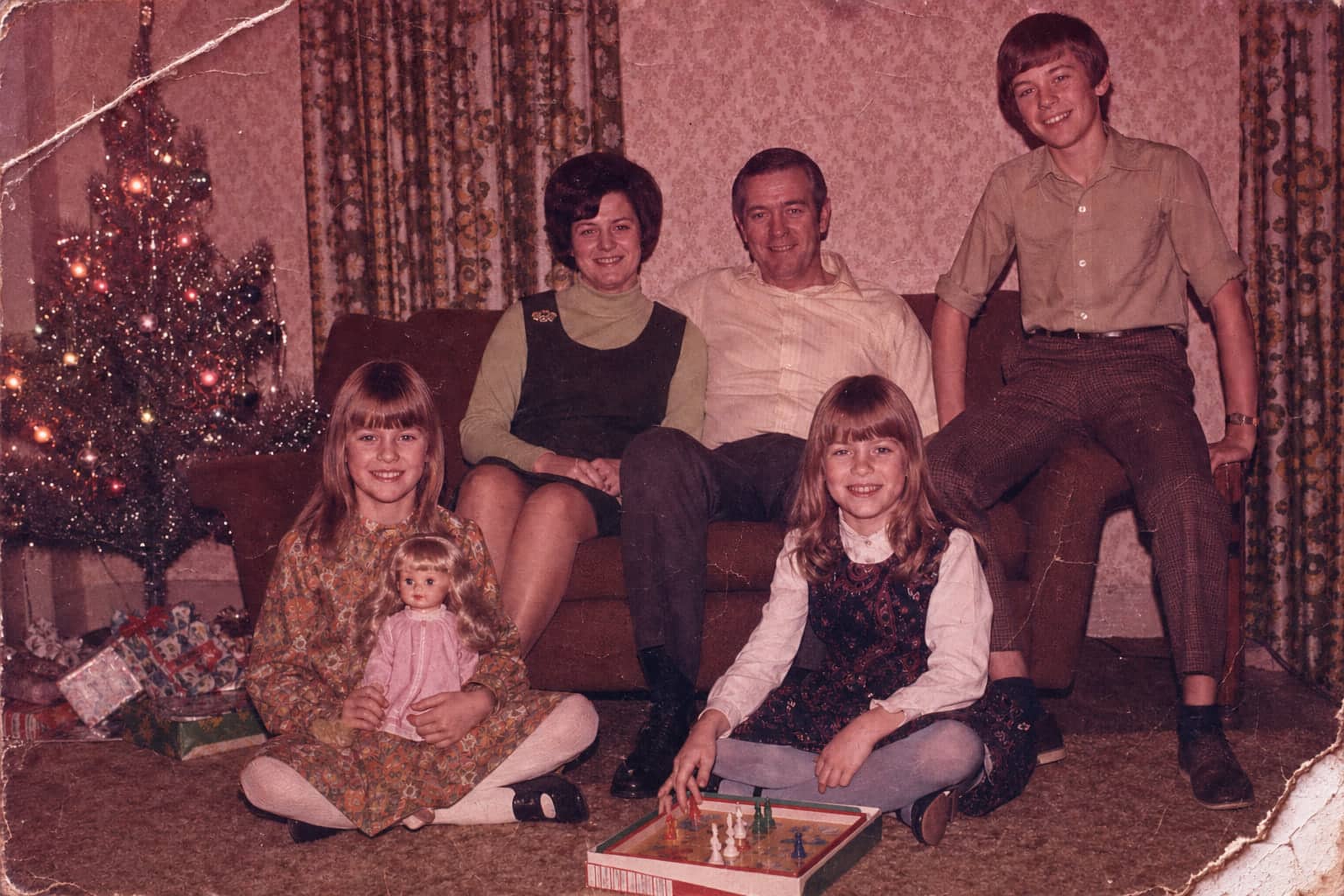 Before
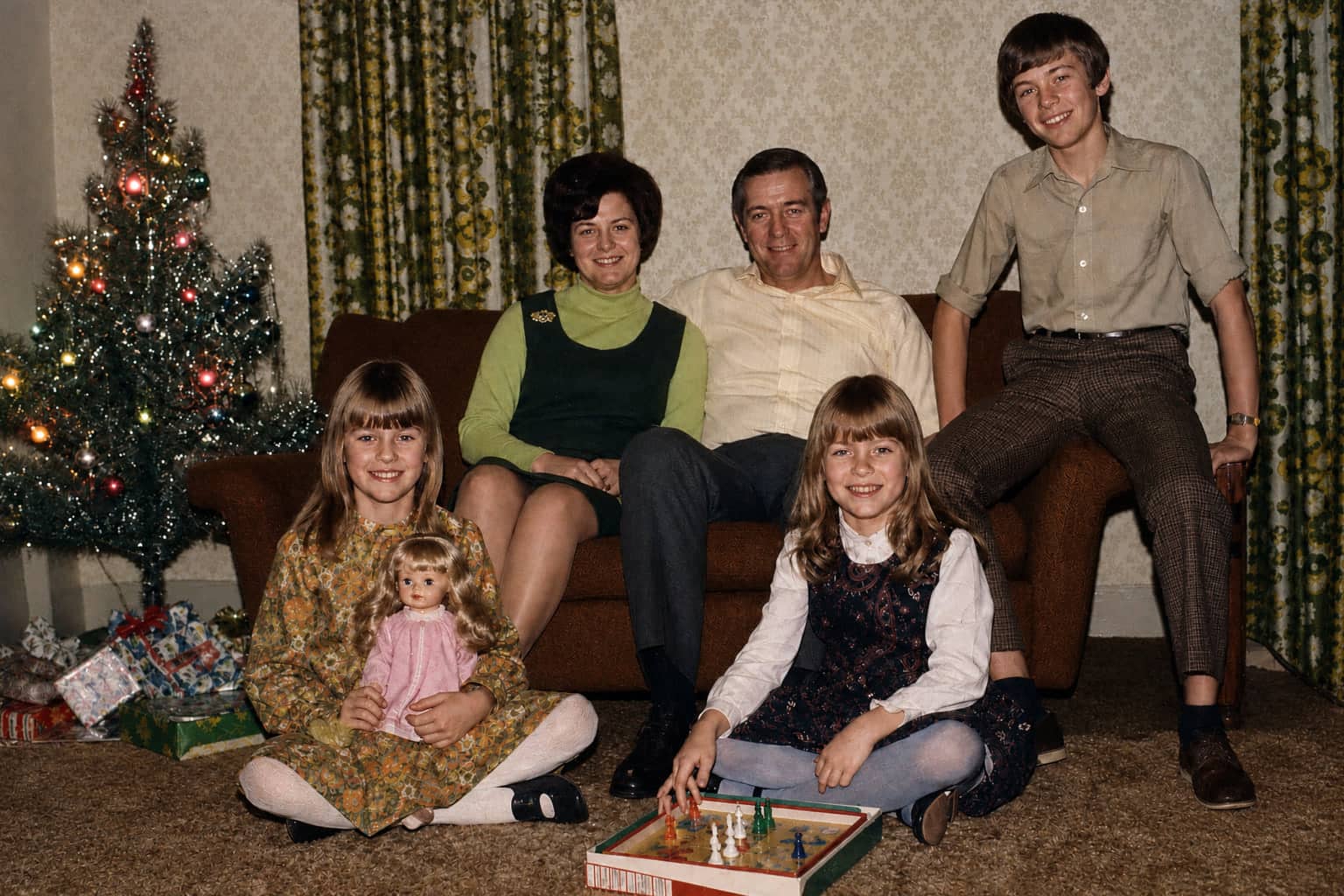 Restored
Trusted by families
Real feedback from early PhotoScanRestore users.
Seeing these memories clearer again... honestly, I'm just so happy we did this
Managed to digitize four generations of albums in a weekend. Such a huge weight off my shoulders.
My dad cried when he saw the colour restored so naturally in his childhood photos. Sharing the timeline kept our whole family connected.
After your free photo
Save your free photo with your email and your account gets 3 free Photo credits. After that, choose a pack, a personal plan, or one archive the whole family adds to.
Pay once. Credits never expire.
Your own collection. One personal account.
One archive the whole family adds to.
6 people. One subscription.Relatives join free. No card needed.
$99 / year
150 shared restorations a year
Prices in US dollars. Web purchases have a 7-day refund window.
Try your free photo firstHow it works
If you want to try restoration without learning a complex editor, the demo gives you a safe place to experiment. Use these three steps for the best results.
Read the full B&W guideCapture a clean photo
Use even window light, avoid glass if you can, and keep the phone parallel to the print for sharp edges.
Choose a photo to restore
Try the same restoration as our iPhone app, on us. Usually under a minute. No account needed to preview.
Inspect and unlock your download
Drag the slider to inspect faces, clothing, and details. When the restore still feels true to the original, enter your email to unlock the full-resolution download and get a backup link.
FAQ
Yes. The demo handles both. It can rebalance faded color photos and also improve contrast, tone, and visible detail on older black and white prints.
Yes. Photos are private by default, and demo download links expire after 14 days.
Save it with your email: you get the full-resolution file, and your free account gets 3 free Photo credits for your next photos. After that, choose a photo pack (10 for $14.99 or 30 for $34.99, paid once, never expire), a personal plan, or Family Archive Together ($99 a year for six people) if relatives want to join in.
Tell us on the result screen and we will redo it free. Web purchases also have a 7-day refund window.
Yes. This demo lets you restore old photos online for free—no credit card or signup required. Preview the result in the browser, then unlock a high‑res download by entering your email (no password needed).
Yes. The demo matches the restoration quality you’ll get inside the full PhotoScanRestore app.
In many cases, yes. It can reduce light scratches, dust, and small cracks while keeping details like film grain, fabric texture, and the original family-photo feel.
What it fixes
The demo is built for family prints, scans, and phone captures that need a quick quality check before you commit to a larger archive project. It works best on faded color photos, black and white portraits, light scratches, dust marks, low contrast, and soft faces. For torn photos, missing corners, or heavy water damage, upload the clearest scan you have and inspect the preview closely before downloading.
Read the old photo restoration hubRebalance muted color, restore contrast, and make old prints easier to share.
Improve tone and visible detail while keeping faces recognisable and preserving the original feel.
Reduce light surface damage, dust specks, and small cracks from scans or phone photos.
Clean up a careful phone capture when you do not have a flatbed scanner nearby.
Better inputs
Avoid flash glare, strong shadows, and tilted phone angles. For a full setup, keep the photo flat, evenly lit, and cropped to the print edges.
Use this full restore for faded or damaged photos. If the only issue is a soft face, start with a clearer scan before judging the preview.