
For the photos you can't replace.
The app that saves the whole album.
Scan each print and save it, untouched, into a private family collection. Then choose the keepers — and have them faithfully restored, keeping both versions.
Scanning and saving cost nothing. Your first restore is on us. After that, you pay only for the photos you restore.

Free to downloadOriginals never overwrittenYou choose what to restore

How it works
Save first. Restore by choice.
Scan and save
Photograph each print with the in-app camera. The untouched original is saved to your private collection before anything else happens.
Choose the keepers
Browse what you've saved and pick the photos that hold the story — the wedding, the kitchen, the one everyone asks about.
Restore with care
One restore covers one chosen photo — repairing fading, tears and scratches while keeping the person recognisably themselves. Both versions are kept.
Keep the story
Record a voice memory beside the photo so the names, places and jokes stay with it.
See the memory come back
Watch lost details return.
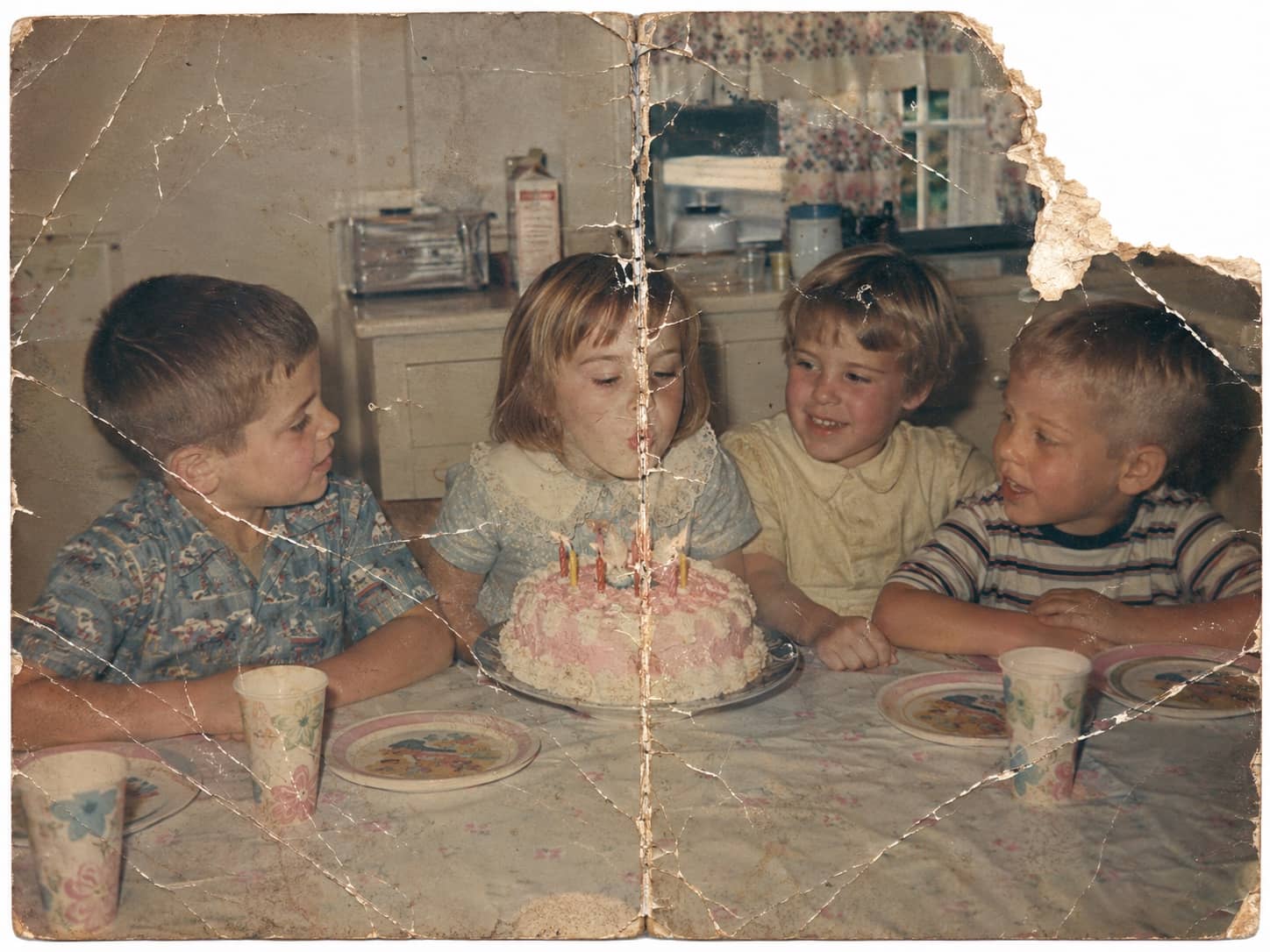
This is the craft your keepers get. Drag the handle to see damage, fading, and age fall away — then find the kind of photo sitting in your own family box.
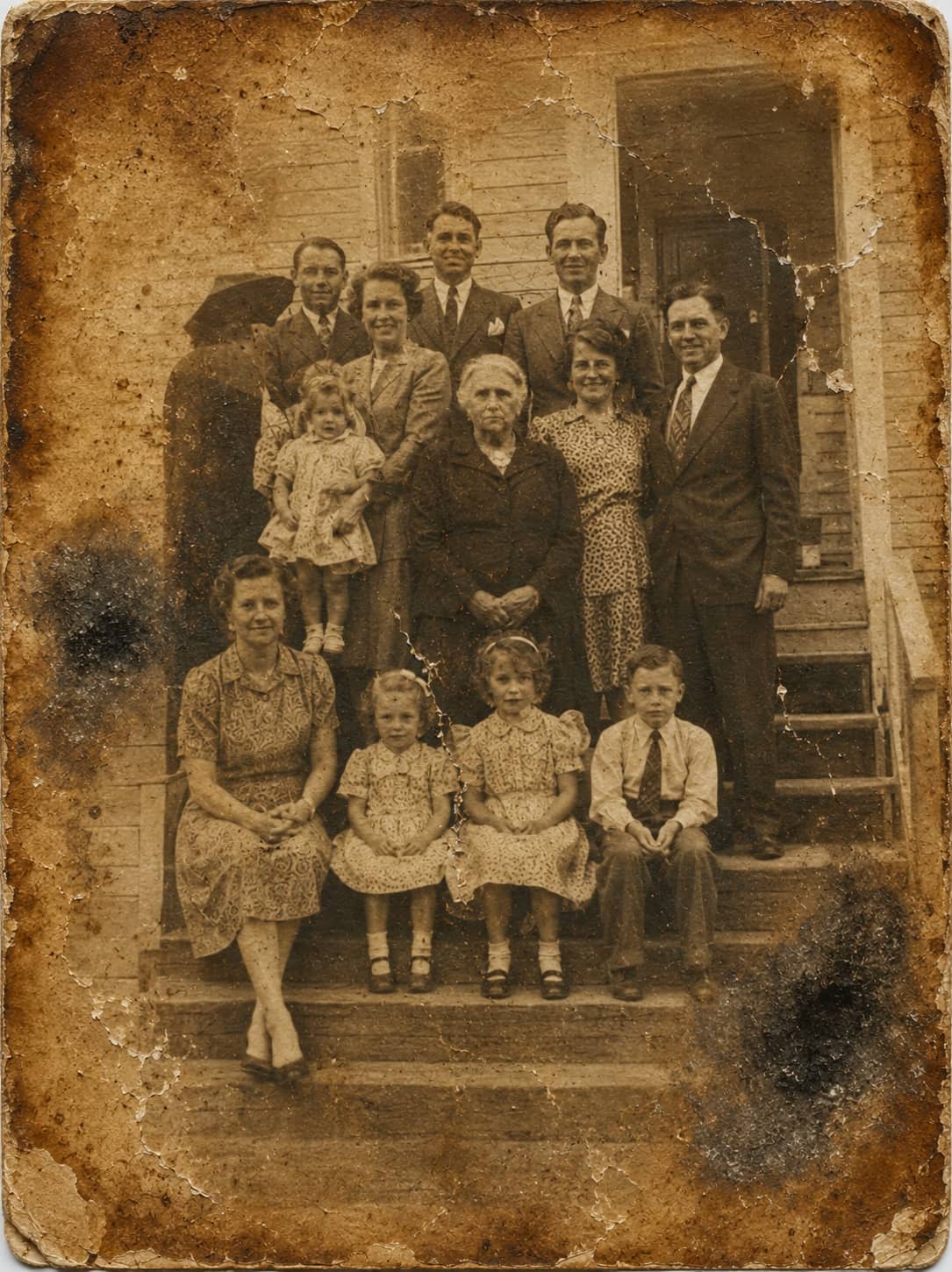
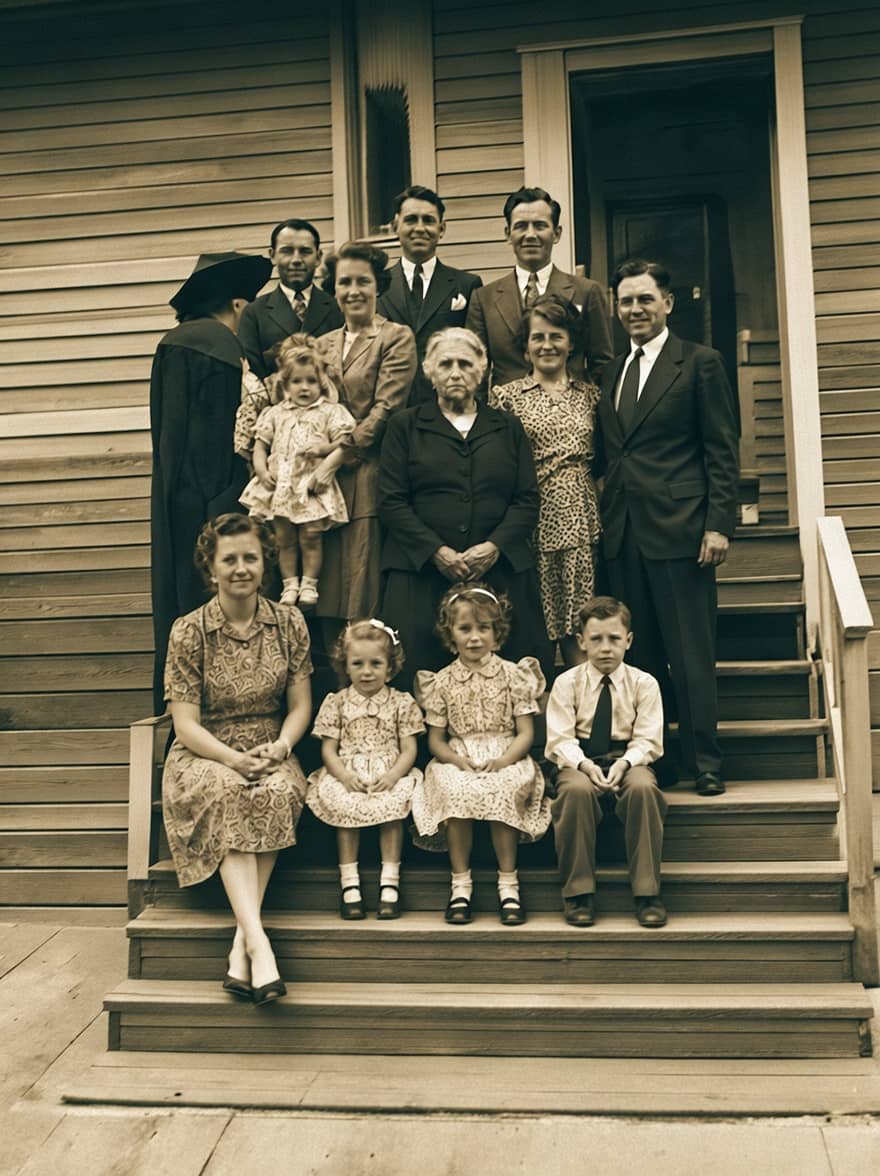
Water damage: Years of staining lifted from a family portrait.


Voice memory
Mum: how we met
More than pixels
Restore the photo. Save the story.
The photo shows who was there. Voice memories keep what only family knows: the names, the place, the joke, and the story someone should still be able to hear.
Send it to your phone
The album is at home. So is the app.
Point your phone's camera at the code, or copy the link and keep it ready for the album you have been meaning to save. It opens the App Store on an iPhone and Google Play on Android.
Fair by design
Scanning is free. Restoration is the craft you pay for.
Save the album without spending anything. When a photo deserves real care, one restore covers it — and the original stays untouched beside the result.
Questions
The small print, in plain English.
What is free, and what do I pay for?+
The app is free to download, and scanning and saving your prints is free. Your first restore is on us. After that, you pay only when you choose to restore a photo. Each restored photo uses one restore, and the untouched original is always kept alongside the restored version.
Are my photos kept private?+
Your photos stay in your private account unless you choose to share them. We do not sell your photos, and you can delete your account and exports from the product.
How much does restoration cost?+
Your first restore is on us. After that, packs start at US$14.99 for 10 restores, and plans are US$9.99 a month for 5 restores or US$59.99 a year for 80. If it doesn't look like them, we'll redo it.
Is there an Android app?+
Yes. PhotoScanRestore is on Google Play for Android phones and on the App Store for iPhone. Tap the button for your phone on this page.
Does it work on older phones?+
The App Store and Google Play listings show the versions each phone needs. If the app is available for your phone, you can install it straight from the buttons on this page.
Do not leave them fading in a box.
Download PhotoScanRestore and save the album while it is still all together.
Free to download. No card. Restore only the photos you choose.