
Guide
ScanCafe Reviews: Is It Worth It in 2026?
Read an honest 2026 ScanCafe review before mailing photos. See when it fits, what to check, and where PhotoScanRestore fits after scanning.
Published May 28, 2026 · Updated Jul 16, 2026 · 11 min read
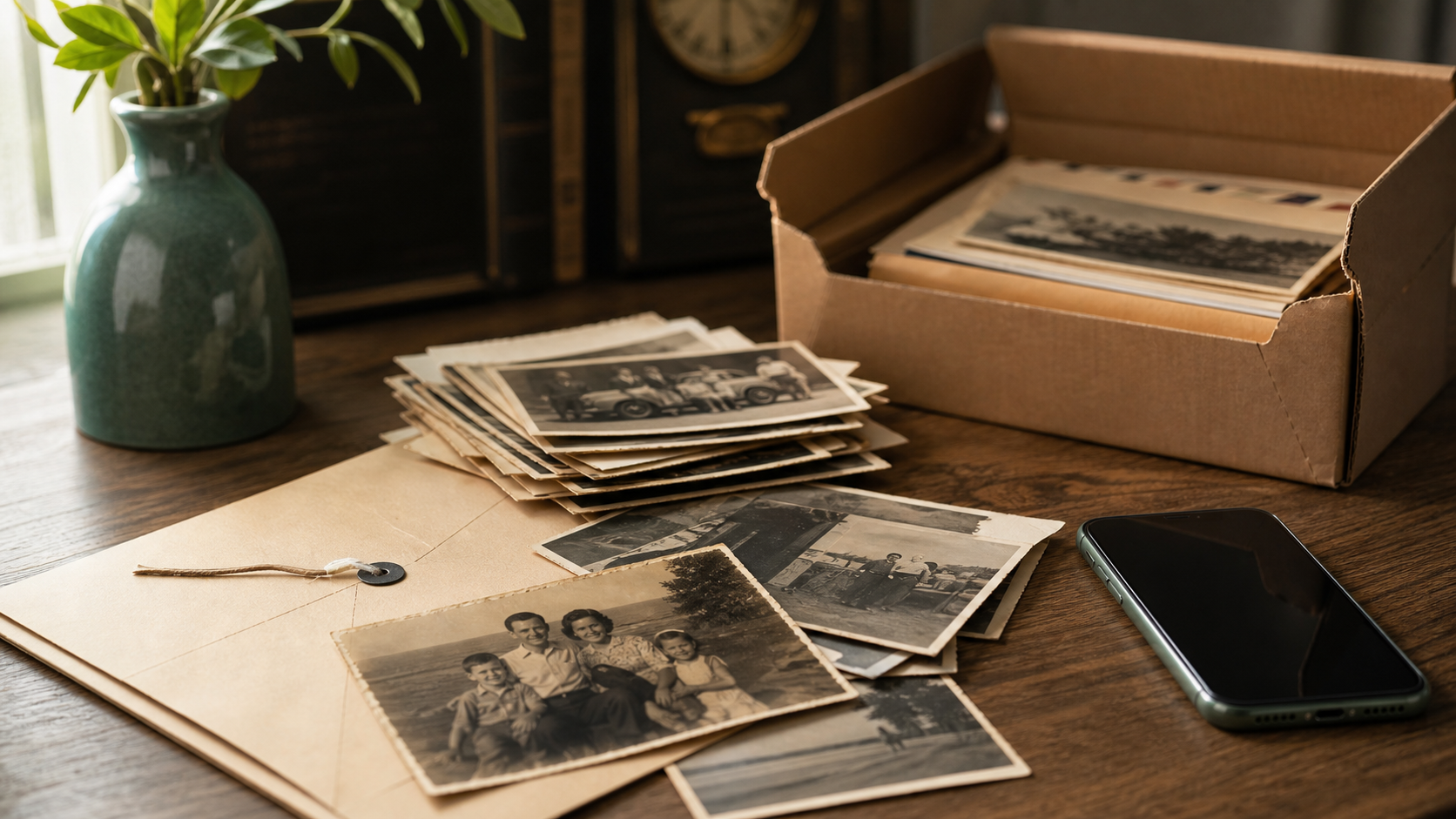
Quick verdict: ScanCafe can make sense when you have a box of prints, slides, or negatives and you want a scanning service to handle the capture work. It is less ideal when you only have a handful of treasured photos and mainly want restoration, because you may not need to mail originals away just to test quality.
If you are reading ScanCafe reviews, you are probably trying to answer one emotional question: "Can I trust someone else with these family photos?" That is the right question. Some projects are bulk scanning jobs, where a mail-in service can save days of work. Other projects are really about one wedding portrait, one parent, one childhood photo, or one picture your family still talks about. For those, start with a clear phone photo or scan and restore one keeper first before choosing a bigger service.
Last reviewed and how we checked ScanCafe
Last reviewed: 28 May 2026.
We reviewed ScanCafe's public pricing, photo scanning workflow, FAQ, photo restoration, and terms pages, plus recent third-party review surfaces such as Trustpilot. We did not place a fresh ScanCafe order for this article, so this guide does not claim measured turnaround or quality results.
That matters. A real order would be the only fair way to judge current shipping experience, support response, scan handling, and finished file quality. This guide is a decision guide: who ScanCafe is likely good for, what to check before ordering, and when PhotoScanRestore is the better first step after you already have a digital copy.
ScanCafe reviews: the honest short version
ScanCafe is a scanning-first service. The strongest fit is a family archive project where the main job is turning physical media into digital files: prints, slides, negatives, or a mixed box you do not want to scan one by one at home.
The tradeoff is the same tradeoff with most mail-in scanning services: you give up speed and direct control in exchange for convenience. You need to package the originals, ship them, wait, review the result, and handle any issue through support. For some families, that is worth it. For others, especially when the photo is irreplaceable or emotionally loaded, mailing the original can feel like the hardest part.
The safest framing is not "ScanCafe good" or "ScanCafe bad." It is this:
| Your job | Better first step |
|---|---|
| Thousands of slides, negatives, or prints | Consider ScanCafe or another bulk scanning service. |
| One to fifty photos you care about most | Scan or photograph them yourself, then restore the keepers. |
| A badly faded or torn photo that is already digitized | Try restoration before paying for a scanning shipment. |
| A museum-grade original or severe physical damage | Talk to a professional conservator or hand-retoucher first. |
What ScanCafe offers now
ScanCafe is broader than a photo restoration service. Its public pricing page lists scanning or transfer services for paper photos, 35mm slides, 35mm and APS negatives, small and medium formats, tapes, film reels, discs/cards, and photo restoration.
That is why ScanCafe can be a good answer for "I have a box of physical media." It is not the same answer as "I already have a scan and want this one photo to look good enough to print."
The most important ScanCafe pricing details to check before ordering are:
| Item to check | Why it matters |
|---|---|
| Standard scan price | ScanCafe lists paper photos up to 8x10, 35mm color slides, and 35mm or APS negatives at $0.48 per image on its pricing page. |
| Special media | Small, medium, and large format media can be priced differently from standard prints/slides/negatives. |
| Albums and carousels | ScanCafe lists separate handling fees for photos in albums and slides in carousels. |
| Pro options | Higher-resolution scans, TIFF delivery, hard drives, express processing, or other extras can change the total. |
| Restoration | ScanCafe restoration is a separate quote-style job, not something to assume is included with a normal scan order. |
ScanCafe pricing: why the headline price is not the full story
"48 cents per scan" is useful as a starting point, but it is not a complete project estimate. Your final cost can change if the order includes albums, carousels, special negative formats, pro-resolution output, TIFF files, USB or hard-drive delivery, express processing, return shipping choices, or restoration work.
This is not unique to ScanCafe. Bulk scanning services often look simple until the box contains mixed formats. Before you send anything, make sure you know whether your order is A la Carte, kit-based, or using a promotion, and whether the media in your box is standard or special handling.
If you are only trying to decide what a few restored keepers may cost, use the photo restoration cost calculator before committing to a large shipment.
A la Carte vs Value Kit: the review step matters
One of ScanCafe's strongest trust signals is the review process attached to its A la Carte scanning workflow. ScanCafe describes an online review step where customers can review scans before final checkout and, for photo scanning, buy at least 80% of the scanned images.
Do not assume that every ScanCafe order works the same way. Kit and value-style offers can have different rules, payment timing, accepted media, and review/discard options. If the ability to reject weak scans matters to you, confirm it in the current order flow before shipping.
This is especially important for mixed boxes. A review step can reduce anxiety if you are sending duplicates, blurry prints, or photos you may not want. It does not remove shipping risk, and it does not prove restoration quality.
When ScanCafe is probably a good fit
ScanCafe is worth considering when the problem is scale. If you inherited a box of slides, a drawer of negatives, or albums your family keeps postponing, outsourcing capture can be practical.
It can also fit if you do not want to learn scanning settings, clean a flatbed scanner, label files, or manage hundreds of separate captures. A service can turn a messy physical job into a more predictable order.
Where ScanCafe may fit well:
- You have a large physical collection, not just a few favorites.
- You want scans of slides, negatives, or prints in one order.
- You are comfortable shipping the originals.
- You care more about getting the archive digitized than inspecting every capture yourself.
- You can wait for a service workflow rather than needing a same-day result.
For phone-based scanning decisions before you choose a mail-in service, read our guide to the best way to scan old photos.
When PhotoScanRestore is the better first step
PhotoScanRestore is not trying to replace a bulk scanning warehouse. It fits a different moment: after you already have a scan or a phone photo, and you want to bring back the photo that matters.
That might be the one photo for a funeral slideshow, a birthday gift, a family-tree page, or a framed print. In that case, the first question is not "Which service can scan 2,000 items?" It is "Can this one photo be saved enough to share?"
Use PhotoScanRestore first when:
- You already have a digital copy or can take a clear phone photo.
- The photo is faded, scratched, stained, soft, or lightly torn.
- You want to see one result before paying for a bigger project.
- You do not want to mail originals away yet.
- You want the restore step, not just a raw scan.
If you are comparing paid options, the photo restoration cost calculator helps you estimate whether Monthly, Annual, or Done-For-You restoration fits the size of the project.
What to check before ordering from ScanCafe
Before you send anything irreplaceable to any mail-in service, check these details in the current cart and terms:
- Media type: prints, slides, negatives, albums, VHS, and specialty formats can have different handling and pricing.
- Resolution and file type: make sure the output is enough for how you plan to use it: sharing, printing, archive storage, or restoration.
- Turnaround: ScanCafe's advertised timelines can vary by service, order type, and rush options, so confirm the current estimate before paying.
- Shipping and tracking: understand who is responsible for packaging, shipping, tracking, and any return shipment.
- Restoration add-ons: scanning and restoration are not the same job. Check whether restoration is included, quoted separately, or limited by damage type.
- Review window: confirm whether you can review scans before final payment or request corrections.
- Recent reviews: read recent reviews, not only lifetime averages. Service operations can improve or decline over time.
This is the same advice we would give for Legacybox, iMemories, Forever Studio, a local scanning shop, or any other service that handles originals.
Before mailing originals: a practical checklist
Do this before shipping family photos to ScanCafe or any mail-in scanning service:
- Photograph the box contents before you seal it.
- Make a quick phone scan of the most important photos first.
- Separate irreplaceable heirlooms from ordinary bulk prints.
- Send a small test batch if quality matters more than speed.
- Check whether your media is standard or special handling.
- Confirm whether review/discard is included in the order type you picked.
- Check the output you are buying: download, cloud, USB, hard drive, JPEG, TIFF, resolution.
- Read the current liability and shipping terms.
- Pack with an internal label, padding, sturdy box, and tracking.
- Consider a local scanning shop or conservator for one-of-a-kind originals.
That checklist is not meant to scare you. It is how you avoid turning a family archive project into a stressful support ticket.
Turnaround and safety: what is listed, and what is not guaranteed
ScanCafe publishes service timelines and express options, but its terms say quoted turnaround is not guaranteed. Treat any date shown during checkout as an estimate unless the order page and terms clearly say otherwise for your exact media type.
Shipping is the other big concern. ScanCafe describes tracking, internal handling, and safety processes, but its terms also say ScanCafe is not liable while originals are with third-party carriers. The safe-handling guarantee described in the terms is limited to the period when an order is in ScanCafe's custody and control, and the stated remedy is capped at up to $1,000 if ScanCafe loses the entire order.
Plain English: ScanCafe may handle orders carefully, but mailing originals is still a real risk. If the photo is the only copy of someone you love, make a clean phone capture first and consider a local option.
ScanCafe vs restoring at home
The decision is easier when you separate capture from restoration.
ScanCafe's lane: capture lots of physical media without doing all the scanning yourself.
PhotoScanRestore's lane: restore the scans or phone photos you care about keeping, printing, and sharing.
That two-step workflow is often the most honest answer:
- Use a phone, scanner, or service to digitize the collection.
- Keep the original digital files untouched.
- Pick the photos your family actually cares about.
- Restore those keepers.
- Then decide whether to buy more credits, a membership, or a bigger archive workflow.
Available on iPhone. Android and desktop readers can scan and restore in the browser.
ScanCafe vs Legacybox vs iMemories vs ScanMyPhotos
The right alternative depends on the physical media you have, not which company has the biggest claim.
| Option | Best fit | Main tradeoff |
|---|---|---|
| ScanCafe | Bulk prints, slides, negatives, and mixed scan jobs where review options matter | Mailing originals, variable order rules, add-ons, and turnaround uncertainty |
| Legacybox | Simple kit-style mixed media, especially tapes and family boxes | Photos are counted in sets; restoration is not the core promise |
| iMemories | Mixed media plus cloud/app sharing | Cloud/subscription and add-on choices need checking |
| ScanMyPhotos | High-volume loose print scanning | Less focused on restoration and special review workflows |
| Local scanning shop | Fragile, valuable, or one-of-a-kind originals | Usually costs more, but you can talk to a person and avoid shipping |
| DIY phone scan | One or a few important prints you want to try today | Quality depends on light, glare, focus, and steadiness |
The PhotoScanRestore role is downstream of capture. Use a service, shop, scanner, or phone to create a digital file, then restore the photos your family actually wants to keep.
Bottom line
ScanCafe reviews are most useful when you read them through the job you actually have.
If your project is a giant box of slides, negatives, or prints, ScanCafe may be a reasonable service to compare with other mail-in scanning options. If your project is one emotional photo, start smaller. Make a clear digital copy, restore that one first, and let the result decide whether you need a larger paid path.
For the restoration side, start with photo restoration service, old photo repair, or water damaged photo restoration depending on what happened to the picture.
If you are still deciding between a store counter, an online tool, a local specialist and a mail-in provider, use where to get old photos restored to match the route to the condition of the original and the job you actually need.
FAQ
Is ScanCafe worth it?
ScanCafe may be worth it when you have a large physical archive and want someone else to handle scanning. It is probably not the first paid step if you only have one or two photos and mainly want restoration.
Is ScanCafe safe for old family photos?
Any mail-in scanning service involves trust and shipping risk. ScanCafe describes internal safety processes, but its terms limit responsibility during third-party carrier transit and cap the safe-handling remedy for loss of an entire order while in ScanCafe custody. Before sending originals, check the current packaging instructions, tracking process, turnaround estimate, review window, and recent customer reviews.
Does ScanCafe restore damaged photos?
ScanCafe has public restoration information, but scanning and restoration are separate jobs. Check the current restoration page and quote flow before assuming damage repair is included in a basic scan order. ScanCafe's own public pricing language for restoration appears in more than one place, so use the quote you receive rather than relying on a single headline number.
How much does ScanCafe cost in 2026?
ScanCafe's pricing page lists standard paper photos, 35mm slides, and 35mm or APS negatives at $0.48 per image. Total cost can change with special formats, albums, carousels, pro-resolution scans, TIFF files, hard-drive or USB delivery, express processing, restoration, and shipping choices.
Can you review ScanCafe scans before paying?
For ScanCafe A la Carte photo scanning, ScanCafe describes an online review process and a minimum purchase of 80% of scanned images. Do not assume the same review/discard rules apply to every kit, value, or promotional order. Confirm the current rules before shipping.
Does ScanCafe return your original photos?
ScanCafe's scanning workflow says originals are returned after the order is complete, along with the chosen digital delivery path. Still, keep your own record of what you shipped and read the current order terms before mailing irreplaceable originals.
Should I mail all my family photos at once?
For ordinary bulk prints, maybe. For one-of-a-kind originals, send a small test batch first or use a local professional. At minimum, make quick phone captures of the most important photos before shipping.
Should I use ScanCafe or PhotoScanRestore?
Use ScanCafe when the main job is digitizing many physical items. Use PhotoScanRestore when you already have a scan or phone photo and want to restore the keepers before paying for a larger archive plan.
Can I just scan old photos with my phone?
For one or a few prints, yes. A clean phone capture is often enough to test whether restoration is worth it. Use good light, avoid glare, keep the phone parallel to the print, and then try the restored result before paying for a larger scanning project.
What should I do before mailing photos to ScanCafe?
Sort the originals, photograph the most important ones for your own record, confirm the current order terms, and avoid mailing anything that should be handled by a professional conservator.
Can I try PhotoScanRestore before paying?
Yes. You can preview one restored photo free first, then choose Monthly, Annual, or Done-For-You restoration only if the result is worth keeping.
ScanCafe is not affiliated with PhotoScanRestore. ScanCafe and other trademarks belong to their respective owners.